
PICSHIK / PROMPT STUDIO

Free AI image generation Images & AI Generator Prompts

Browse and download free ai image generation AI images and pictures. Copy the full image generator prompts, view model and aspect ratio settings, or create your own in Picshik.

3 images with English prompts · Free image downloads and prompt copies · No sign-in needed

Find your next image

3 prompts

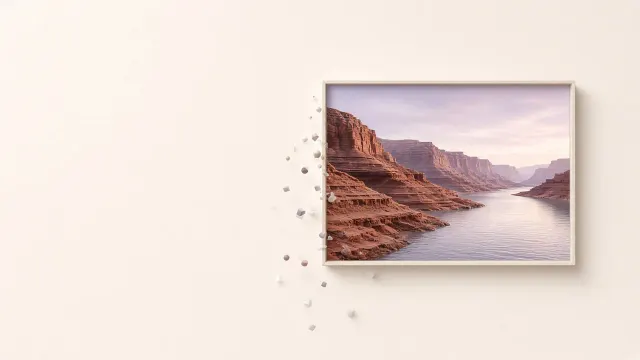
Minimal AI Image Generation Hero with a Floating Creative Portal Generated with Grok
website hero 16:9 · Try Grok

Minimal AI Image Generation Hero with a Floating Creative Portal

website hero · AI image generation · minimalism · floating portal

Create

Build a refined 16:9 website hero visual about AI-generated imagery, using a warm off-white background and ample negative space on the left. On the right, suspend a thin rectangular portal containing an imagined landscape of terracotta cliffs, silver water, and a pale lavender sky. Let a small number of soft geometric particles gather along the portal edge, suggesting the picture is being generated. Use sculptural lighting, delicate contact shadows, and a matte editorial finish rather than glossy spectacle. Keep the main subject inside the right half and preserve generous cropping flexibility. Include no text, interface controls, branding, or decorative clutter.
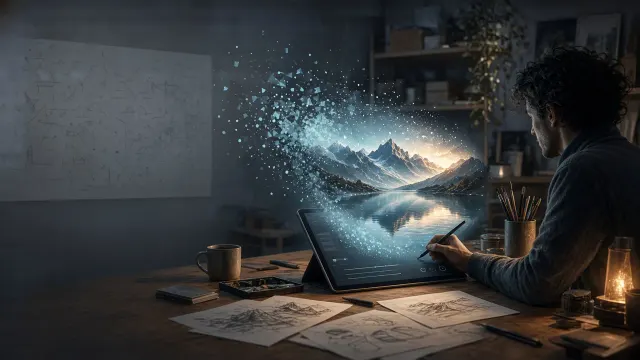
AI Image Generation Studio with a Floating Digital Landscape Generated with Grok
AI image generation 16:9 · Try Grok

AI Image Generation Studio with a Floating Digital Landscape

AI image generation · creative studio · digital landscape · editorial illustration

Create

An editorial illustration exploring AI image generation through a quiet creative studio where a luminous landscape emerges above a drawing tablet. Compose the scene in a 16:9 landscape frame, with the tablet and a seated adult artist on the right and generous atmospheric space on the left. The generated scene transitions from scattered geometric particles into a convincing mountain lake, clearly connecting human input with synthetic imagery. Use cool slate walls, warm desk lighting, translucent cyan forms, and restrained amber highlights. Include tactile paper sketches in the foreground and softly blurred shelves behind. Keep interface elements abstract and unlettered, emphasizing the creative process rather than a particular application.

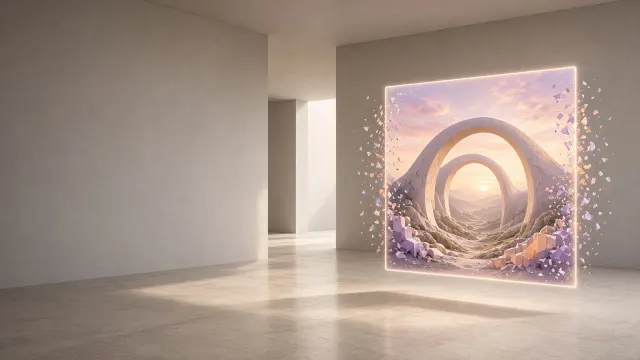
Minimal AI Image Generation Website Hero with a Floating Canvas Generated with Grok
website hero 16:9 · Try Grok

Minimal AI Image Generation Website Hero with a Floating Canvas

website hero · AI image generation · minimal design · floating canvas

Create

Compose a minimalist 16:9 website hero centered on AI image generation, placing a floating luminous canvas in the right third of a spacious architectural room. The canvas contains a convincing surreal valley where smooth stone arches frame a pink dawn, with a few geometric fragments resolving into natural detail along its edges. Keep the left half nearly empty, using a subtle warm gray gradient suitable for a headline overlay. Render matte plaster walls, a pale travertine floor, and a soft rectangular pool of daylight. Introduce restrained lilac and apricot accents within the generated scene. Avoid visible interface text, emphasizing visual possibility through refined materials, controlled shadows, and a single unmistakable focal point.