PICSHIK / PROMPT STUDIO

Free CGI & 3D Modeling Images & AI Prompts

Browse and download free cgi & 3d modeling AI images and pictures. Copy the full image generator prompts, view model and aspect ratio settings, or create your own in Picshik.

4 images with English prompts · Free image downloads and prompt copies · No sign-in needed

Find your next image

4 prompts

Cute 3D Couple Taking a Selfie Generated with Grok
3D Animation 3:4 · Try Grok

Cute 3D Couple Taking a Selfie

3D Animation · AI Art · Cartoons & Animation · CGI & 3D Modeling

Create

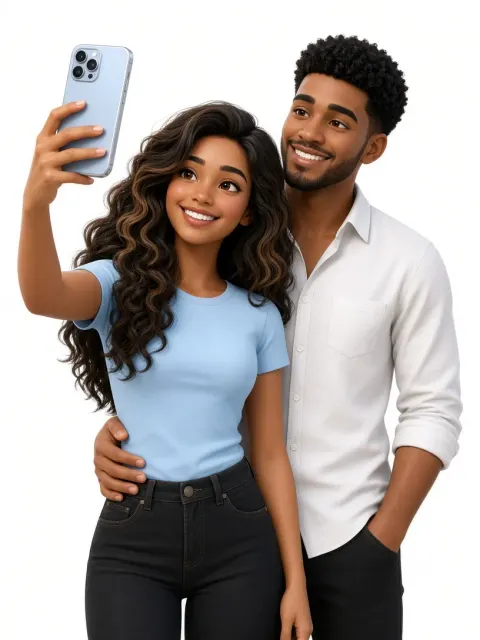
Create a polished stylized 3D digital illustration of a happy couple taking a selfie, framed from approximately the upper thighs against a clean, seamless white studio background. Face Matching: Accurately preserve both subjects’ facial identities from their respective reference images, including face shape, proportions, and distinctive facial features. Keep both faces recognizable and faithful to the references while naturally adapting them to a premium stylized 3D animated aesthetic. The woman stands in the foreground on the left, holding a modern light blue and silver smartphone vertically in her raised left hand as she takes the selfie. She has long, voluminous wavy hair, expressive eyes, defined eyebrows, softly glowing skin, and a warm, cheerful smile. She wears a fitted pastel-blue short-sleeve T-shirt tucked into high-waisted black jeans. Her right arm hangs naturally by her side. The man stands closely behind and slightly to her right, leaning naturally toward her. He has neatly styled natural hair, expressive eyes, and a warm, friendly smile. He wears a crisp white button-down shirt with the sleeves rolled up and black trousers. His left arm wraps naturally around the woman’s waist, while his right hand rests casually in his trouser pocket. Both subjects pose closely and naturally as a happy couple, looking toward the smartphone camera with warm, affectionate, joyful expressions. Keep their body proportions and anatomy natural and balanced. Use a polished cinematic 3D character-rendering style with smooth realistic skin, detailed individual hair strands, realistic fabric textures, subtle facial details, soft shadows, gentle highlights, and refined glossy materials. Use soft, diffused studio lighting from the front and slightly above for an evenly illuminated, bright, clean appearance with subtle contact shadows. Composition: vertical portrait orientation, centered framing, upper-thigh crop, both subjects clearly visible, smartphone clearly visible, balanced spacing, clean white background, sharp focus, and a refined commercial 3D render.
Exaggerated 3D Avatar Generated with Grok
3D Caricature 1:1 · Try Grok

Exaggerated 3D Avatar

3D Caricature · AI Art · Avatar · Cartoons & Animation

Create

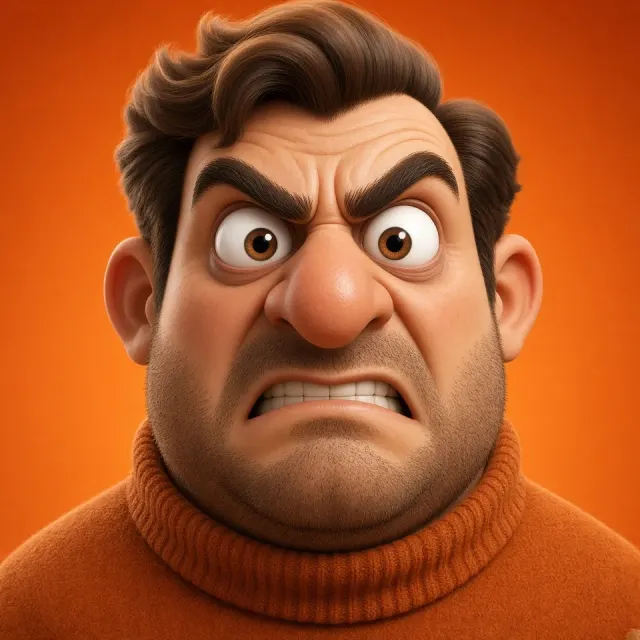
Extreme 3D CGI cartoon avatar of [character], with extremely exaggerated proportions and oversized features for maximum comic effect. Head-and-shoulders portrait composition, featuring a bold, dramatic facial expression and a character-focused perspective. Ultra-soft matte materials, saturated orange gradient background for strong contrast, soft studio lighting, and ambient shadows that add depth.

3D Mini Me Generated with Grok
3D Animation 3:4 · Try Grok

3D Mini Me

3D Animation · CGI & 3D Modeling · Character Design · Conceptual Art

Create

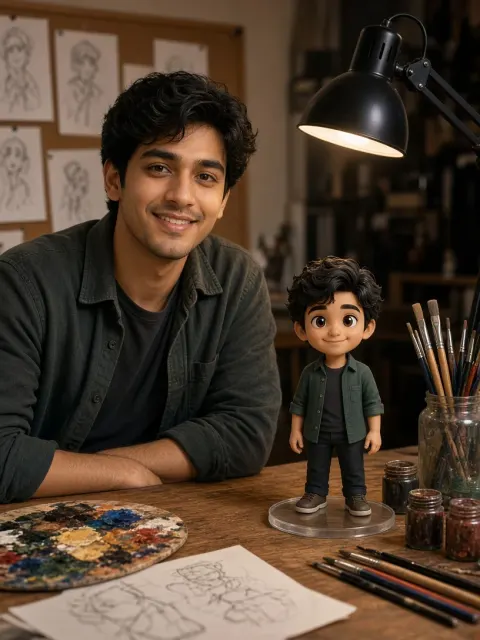
Use the uploaded photo as the only identity reference. Preserve the subject’s exact facial structure, proportions, skin tone, hairstyle, eye shape, nose, lips, jawline, and overall identity with high accuracy. Do not beautify, alter, or replace facial features. Create a photorealistic portrait of the subject seated on the left side of the frame at a wooden artist’s desk. Frame from mid-torso upward, with the subject slightly angled toward the camera while maintaining direct eye contact and a warm, natural smile. One forearm rests casually on the desk, creating a relaxed and approachable posture. On the desk beside the subject, clearly visible without blocking them, place a high-quality 3D animated miniature version of the same person standing on a clear circular base. The miniature is a Pixar/Disney-style stylized version of the subject, with slightly exaggerated proportions, large expressive eyes, and a polished premium 3D appearance, while retaining clear resemblance to the real person. Match the subject’s outfit, hairstyle, and colors exactly. Set the scene in a cozy artist’s workspace with a realistic paint palette containing mixed colors, small paint jars, a glass holder filled with brushes, scattered brushes, and sketch papers on the desk. Light the scene primarily with a black articulated desk lamp, casting a warm, soft, diffused glow across both the subject and the miniature. Add subtle ambient fill light to preserve natural skin tones and soft shadows, with smooth falloff and no harsh contrast. Keep the background softly blurred with a shallow depth of field. Include a corkboard with pinned pencil sketches and subtle studio elements, maintaining depth without distraction. Use photorealistic skin texture, natural lighting, soft shadows, high dynamic range, cinematic color grading, and a 50mm lens look at f/1.8. Keep the subject and miniature sharply in focus. The miniature should have clean Pixar-style materials and smooth shading, without a cheap plastic or toy-like appearance. Seamlessly blend real photography with high-end 3D character integration. Negative prompt: anime, 2D illustration, cartoon background, flat shading, low poly, plastic toy look, waxy skin, face swap, different identity, face morphing, beautified face, over-smoothing, blur, low resolution, grain, noise, distortion, deformed face, incorrect proportions, extra fingers, missing fingers, duplicated limbs, floating objects, bad anatomy, inconsistent lighting, harsh shadows, neon lighting, cold tones, over-saturation, washed colors, watermark, text, logo, cropped face, miniature body crop, out-of-frame subject

Real & Rendered Generated with Grok
3D Animation 3:4 · Try Grok

Real & Rendered

3D Animation · 3D Caricature · Avatar · CGI & 3D Modeling

Create

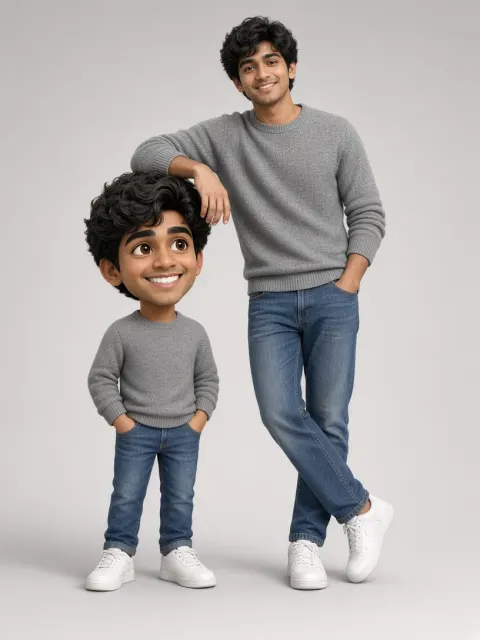
Create a high-resolution, ultra-realistic studio composition in a vertical 3:4 aspect ratio, featuring one real person standing beside a stylized 3D caricature, bobblehead-style version of the same individual. Use the provided reference image as the only source of identity. Strictly preserve the real subject’s exact facial structure, proportions, skin tone, hairstyle, and all recognizable features; do not alter or stylize the real face. Full-body vertical shot with a clean, centered layout. The real subject stands on the right, while the caricature stands on the left at approximately 50–60% of the real subject’s height, around waist level. The real subject casually rests one elbow on the caricature’s oversized head, creating a natural, playful interaction. The real subject is rendered with ultra-realistic natural skin texture and fine detail, wearing a warm, relaxed, confident expression. Use a slightly cool, stylish posture: a relaxed stance with legs slightly crossed at the ankles and loose shoulders, never stiff. The arm and hand resting on the caricature should feel effortless and anatomically natural. Match the reference outfit: a gray crewneck sweater with fine knit texture and ribbed cuffs and hem, classic straight-fit blue jeans, and clean white sneakers. Keep all fabric and material textures realistic and clearly visible. The 3D caricature is a polished, feature-animation-inspired character with exaggerated proportions: a large expressive head and a smaller body. It should remain clearly recognizable as the same person while using larger eyes, softer forms, and a slightly amplified smile. Its expression should be more playful and animated than the real subject’s, with bright expressive eyes and a lively, natural stance. Add subtle movement that reflects the real subject’s personality. The character must feel alive and animated, not like a rigid figurine. Recreate the real subject’s outfit exactly in a stylized 3D form with soft, believable materials. Use soft, diffused studio lighting from the upper left, producing smooth highlights and gentle shadows. Set the scene against a clean light-gray gradient seamless background, lighter toward the center. Both subjects should be firmly grounded with soft natural contact shadows. Create a cinematic, ultra-clean, high-detail render with a clear visual contrast between the realistic human and the stylized 3D character. Do not make the real face cartoonish, do not use a stiff pose, and do not add extra people or objects.