
PICSHIK / PROMPT STUDIO

Free coral palette Images & AI Generator Prompts

Browse and download free coral palette AI images and pictures. Copy the full image generator prompts, view model and aspect ratio settings, or create your own in Picshik.

2 images with English prompts · Free image downloads and prompt copies · No sign-in needed

Find your next image

2 prompts

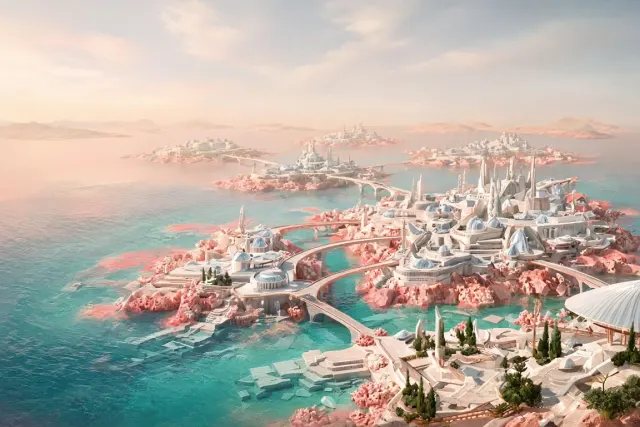
Coral Geometric Archipelago with Sweeping Future Bridges Generated with Grok
future archipelago 3:2 · Try Grok

Coral Geometric Archipelago with Sweeping Future Bridges

future archipelago · coral palette · geometric islands · coastal city

Create

Reveal a futuristic geometric world spread across a coral-colored archipelago, where angular islands support terraced cities and sweeping ribbon bridges. Compose a 3:2 landscape for a website hero image from an elevated coastal viewpoint. Concentrate the most intricate island architecture in the lower right, leaving a broad luminous sea and soft sky toward the upper left for optional copy. Materials include pale limestone composites, frosted glass, and satin copper railings. Gentle midday haze separates the distant islands, while clear foreground water exposes submerged geometric foundations. Use refined architectural illustration with subtle painterly texture, natural reflections, and a sophisticated palette of coral, seafoam, ivory, and warm gray.
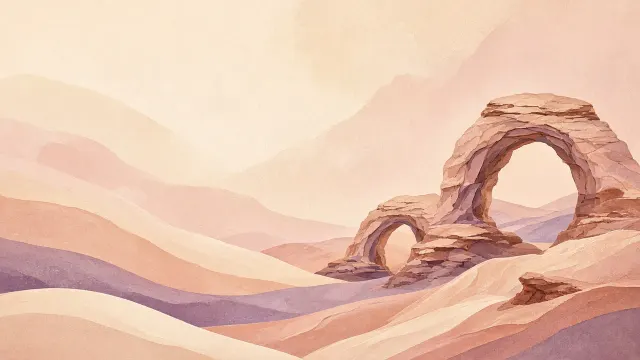
Desert Arch Wallpaper in Sand and Coral Tones Generated with Grok
desert wallpaper 16:9 · Try Grok

Desert Arch Wallpaper in Sand and Coral Tones

desert wallpaper · abstract arches · coral palette · painted texture

Create

Design a 16:9 landscape desktop wallpaper portraying an abstract desert arch landscape as papel tapiz. Place layered sandstone arches and low dunes toward the right half, while the left and upper center remain open in pale sand for icon-safe use. Use coral, dusty rose, sienna, cream, and muted lavender in flat painted planes with softly granular pigment. Suggest late-afternoon light through long gentle gradients, but avoid harsh shadows or excessive contrast. The scene should feel stylized, serene, and spacious rather than photorealistic. Exclude text, logos, watermarks, frames, and unrelated objects. Present the wallpaper as a polished art surface suited to a modern widescreen desktop.