
PICSHIK / PROMPT STUDIO

Free evergreen Images & AI Generator Prompts

Browse and download free evergreen AI images and pictures. Copy the full image generator prompts, view model and aspect ratio settings, or create your own in Picshik.

3 images with English prompts · Free image downloads and prompt copies · No sign-in needed

Find your next image

3 prompts

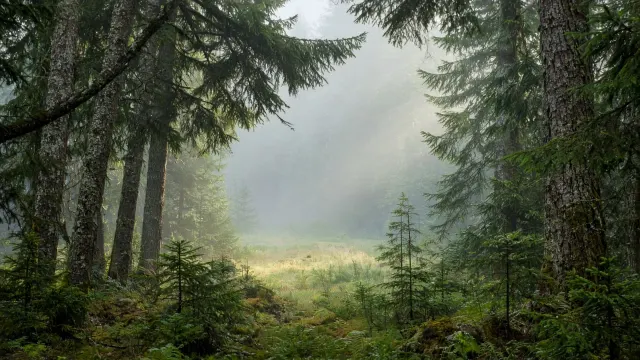
Forest Canopy Sunbeams Desktop Background Generated with Grok
forest 16:9 · Try Grok

Forest Canopy Sunbeams Desktop Background

forest · sunbeams · evergreen · nature

Create

16:9 landscape desktop wallpaper looking through a tranquil evergreen forest toward a softly illuminated clearing. Place detailed trunks and foliage along the lower and side edges, while the center and upper middle open into pale mist with gentle sunbeams. Use moss green, pine, muted gold, and cool gray-blue, with natural bark and needle textures. Keep the light diffused and peaceful rather than dramatic. Preserve broad low-detail areas for desktop icons, and exclude people, animals, text, logos, and watermark. The result should feel immersive but uncluttered, like a quiet retreat behind a working screen.
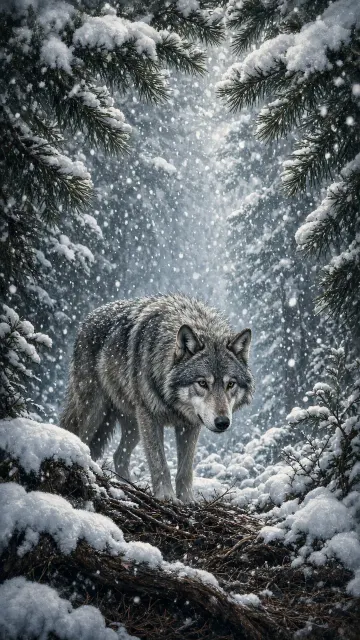
Wolf Beneath a Falling Snow Curtain in a Quiet Evergreen Grove Generated with Grok
wolf 9:16 · Try Grok

Wolf Beneath a Falling Snow Curtain in a Quiet Evergreen Grove

wolf · snowfall · evergreen · vertical art

Create

A gray wolf stands beneath snow-laden evergreen branches in a vertical woodland scene, placed in the lower middle while a tall curtain of falling snow fills the upper frame. The foreground contains dark roots, soft snow pillows and scattered pine needles, creating contrast around the paws. Diffused winter light enters from above, gently separating the wolf’s charcoal and silver fur from the deep green grove. Use a portrait artwork composition with layered branches forming a natural arch, realistic anatomy and a composed, observant expression. Snowflakes should vary in size and focus, adding depth without obscuring the face. Keep the palette cool and tactile, with subtle cream highlights and no text, logo or decorative border, 9:16 aspect ratio.

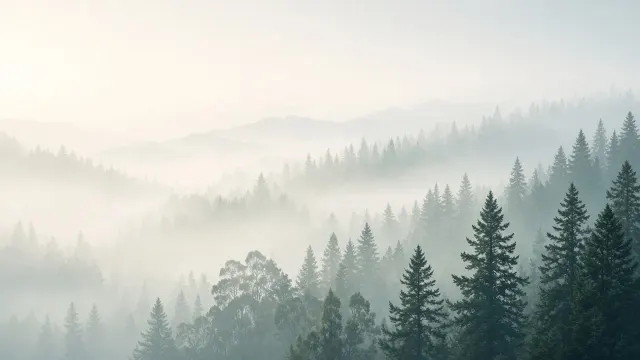
Forest Mist Layers Calm Desktop Wallpaper Generated with Grok
misty forest 16:9 · Try Grok

Forest Mist Layers Calm Desktop Wallpaper

misty forest · evergreen · nature wallpaper · desktop background

Create

A 16:9 desktop wallpaper depicting an atmospheric forest reduced to soft layers of misty evergreen silhouettes. Place the darkest tree forms along the lower right and distant middle ground, while the upper left remains pale, spacious, and icon-safe. Use a restrained palette of eucalyptus, pine, gray green, fog white, and muted blue. Diffused dawn light should dissolve the horizon and soften every edge, creating depth without visual busyness. The image should feel peaceful and cinematic while remaining practical as a desktop background. Exclude wildlife, buildings, words, logos, borders, and sharp foreground distractions.